
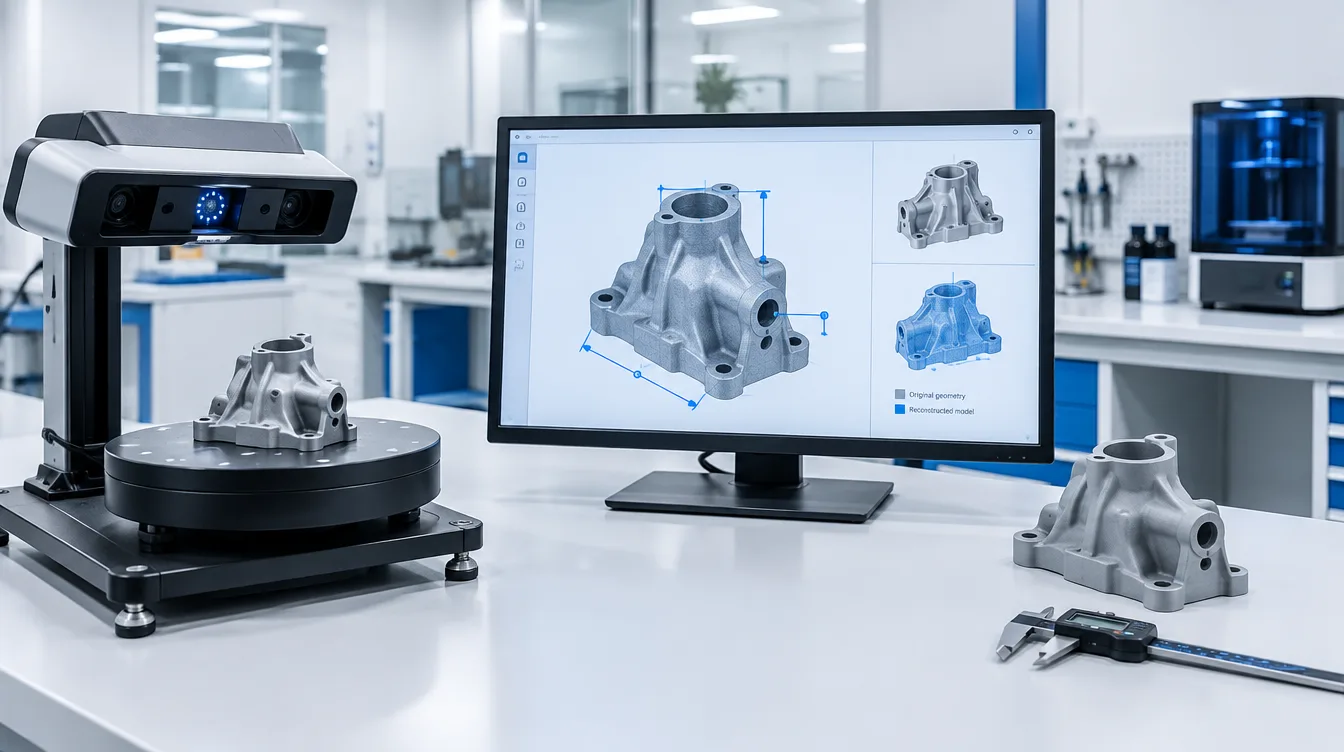
The scan accuracy needed for resin 3D printing depends on the size of the object, the smallest features you need to reproduce, and the dimensional tolerance of the finished part. A scanner that works well for decorative models may not provide sufficiently reliable data for mechanical assemblies or precision dental workflows.
Quick answer: There is no universal scanner accuracy requirement for resin 3D printing. For dimension-critical parts, the total error introduced by scanning and mesh preparation should be substantially smaller than the allowable deviation of the finished print. The remaining tolerance must accommodate printing, washing, UV post-curing and other process variations.
Before selecting a 3D scanner, define what the resin print must accomplish. Reproducing the appearance of an object and reproducing its functional dimensions are two different engineering tasks.
1. Start With the Required Accuracy of the Finished Part
A resin printer cannot recover dimensional information that was captured incorrectly during scanning. Fine LCD pixels, a small layer height or a high-resolution SLA system do not automatically correct scan distortion, missing surfaces or mesh reconstruction errors.
The scanning requirement should therefore come from the final application rather than the printer’s advertised resolution.
| Application | Main Scanning Requirement | Recommended Evaluation |
|---|---|---|
| Decorative models and display pieces | Correct proportions, recognizable details and acceptable surface appearance | Compare the printed shape and visible details with the original object. |
| Industrial appearance prototypes | Reliable overall dimensions and sufficient surface detail | Measure overall dimensions and inspect important design surfaces. |
| Mechanical parts and reverse engineering | Dimensional accuracy, feature location and consistent geometry | Check mating surfaces, hole positions, alignment and assembly fit. |
| Jewelry and casting patterns | Small-feature capture, edge definition and reliable pattern dimensions | Inspect fine features and validate the full printing and casting workflow. |
| Dental model workflows | Suitable capture of critical anatomical geometry and repeatable processing | Use application-specific dimensional validation and appropriate clinical workflow controls. |
The tighter the functional tolerance, the more carefully the scanning and printing stages must be validated. A high-detail scan that looks convincing on a monitor is not necessarily dimensionally accurate enough for a fitting component.
2. Scan Accuracy, Resolution and Repeatability Are Different
When comparing 3D scanner specifications, three measurements deserve separate attention.
Scan Accuracy
Scan accuracy describes how closely the captured geometry agrees with the real object or a recognized dimensional reference. For precision work, the conditions under which the manufacturer measures accuracy are important.
A specification based on a single scan of a small reference object may not represent the accumulated error across a much larger object assembled from multiple scanning views.
Scan Resolution
Resolution relates to the scanner’s ability to represent geometric detail. Depending on the equipment, manufacturers may distinguish point spacing, mesh resolution and the smallest detectable surface features.
A dense mesh does not guarantee accurate dimensions. Increasing the number of triangles through software interpolation cannot restore features that were not captured in the original measurement.
Repeatability
Repeatability describes how consistently the same scanning procedure measures an object under defined conditions.
A scanner can repeatedly produce similar results while still having systematic dimensional bias. This is why repeatability and accuracy must both be considered for reverse engineering and inspection.
Practical distinction: Accuracy determines whether the geometry is dimensionally trustworthy. Resolution influences which details are represented. Repeatability helps determine whether the measurement can be reproduced consistently.
3. How to Set a Practical Scan Accuracy Target
The most useful starting point is the allowed dimensional deviation of the finished part.
Consider an engineering prototype with a maximum permitted dimensional deviation of ±0.30 mm for a particular feature. This is an illustrative design requirement, not a standard tolerance for resin printing.
If scanning and mesh preparation already introduce most of that permitted deviation, little room remains for errors from printing and post-processing.
As an initial engineering planning approach, a team might reserve approximately one-third of the available deviation for the entire scanning and mesh preparation stage. In this example, that means targeting a scan-stage contribution of approximately 0.10 mm or less, subject to validation.
This one-third allocation is a planning heuristic, not an industry standard, scanner specification or guarantee of finished-part accuracy. A real tolerance budget must consider measurement uncertainty, systematic errors, process variation and the consequences of an out-of-tolerance part.
When evaluating a scanner, ask:
- What accuracy is demonstrated over the actual size of the object?
- Does the stated specification cover single-frame measurements or the assembled scan?
- Can the equipment resolve the smallest critical feature?
- How much variation appears when the same object is scanned repeatedly?
- What additional deviation is introduced during registration, meshing and model repair?
The important figure is the performance of the complete capture and reconstruction process, not an isolated marketing specification.
4. Where Accuracy Can Be Lost Between Scanning and Resin Printing
In a scan-to-print workflow, errors can arise before the resin printer starts building the first layer.
| Workflow Stage | Potential Problem | What to Check |
|---|---|---|
| Object scanning | Missing features, reflection, poor coverage or incorrect scale | Capture conditions, calibration, surface accessibility and reference dimensions |
| Scan alignment | Multiple views do not register correctly | Registration deviation and distortion across the full object |
| Mesh processing | Excessive smoothing, automatic hole filling or geometry modification | Critical features against the original scan and independent measurements |
| Resin printing | Feature deviation, unsupported geometry or deformation | Orientation, supports, resin profile and printer condition |
| Washing and UV curing | Dimensional changes or deformation during processing | Material instructions, cleaning conditions and validated curing workflow |
| Final inspection | Incorrect measurement reference or unsuitable inspection method | Datum definition, instrument uncertainty and feature-specific measurements |
Reflective metal parts, transparent objects, deep cavities and narrow slots may be especially challenging for optical scanning. The treatment of these surfaces must be compatible with the intended dimensional measurement.
After scanning, mesh repair software can also change the geometry. Automatically closing a hole may make an STL printable, but it does not prove that the reconstructed surface matches the physical object.
Resin printing introduces additional factors. Exposure settings, part orientation, support placement, material behavior and UV post-curing can affect the dimensions measured on the finished part.
For that reason, scanner accuracy and finished resin-part accuracy should never be treated as interchangeable values.
5. How to Verify That Your Scanner Is Accurate Enough
Instead of selecting equipment solely by its nominal accuracy, use a controlled test that separates scanning error from resin-printing error.
Step 1: Define the Critical Features
Identify the dimensions that determine acceptance. Depending on the part, these may include overall length, hole spacing, mating surfaces, wall geometry or detailed contours.
Record their nominal values, permitted deviations and inspection methods.
Step 2: Scan a Dimensionally Verified Reference
Use a stable reference object with dimensions established by a suitable, independently verified measurement method.
Scan the object under the same conditions planned for production work, including similar object size, working distance and surface characteristics where practical.
Step 3: Repeat the Scan and Compare Results
Capture the reference more than once and compare the critical features. Examine both dimensional bias and variation between scans.
Also compare the registered and processed mesh with the measured reference. This helps determine whether software processing adds unacceptable deviation.
Step 4: Print a Known CAD Reference
Use a controlled resin-printing setup to produce a reference model with known CAD dimensions. Measure the completed print after washing and UV post-curing.
This establishes a separate indication of printing-process performance without depending on a newly scanned source.
When practical, compare a scanned-derived model against an equivalent reference CAD geometry under the same printing and post-processing conditions.
Step 5: Inspect the Finished Part
Measure the actual printed features using suitable inspection equipment and compare them against the required acceptance limits.
If the original CAD reference prints correctly but the scan-derived geometry does not, investigate scanning, alignment and mesh processing. If both versions show similar problems, investigate the printer, resin and post-processing workflow.
This comparison provides diagnostic evidence, not automatic proof of a single root cause. Geometry, orientation and measurement uncertainty must also be considered.
6. A Scan-to-Print Quality Checklist
Before releasing a scanned model for resin printing, confirm the following:
- The original object is suitable for the scanning method.
- The scanner has been checked or calibrated as required for the task.
- Overall dimensions and critical features have been independently verified.
- Multi-view alignment has not introduced unacceptable distortion.
- Mesh smoothing and hole repair have not changed functional geometry.
- The file uses the correct units and model scale.
- The mesh is suitable for slicing, with intentional closed geometry and appropriate wall thickness.
- The selected resin and printer are suitable for the intended part.
- Washing and UV post-curing follow the validated material workflow.
- The finished part will be inspected against documented acceptance criteria.
For mechanical reverse engineering, it is often preferable to rebuild critical holes, planes, datums and mating geometry in CAD rather than treating every scanned triangle as an exact representation of the original design.
The scanned surface can provide the geometric reference while engineering features are reconstructed using independent dimensional measurements.
7. Does a Higher-Resolution Resin Printer Require a More Accurate Scanner?
Not automatically.
A printer with a smaller XY pixel size can represent finer digital patterns, but its resolution does not define the dimensional accuracy of a fully processed part.
Similarly, a high-resolution scanner is valuable only when its accuracy, feature-capture capability and processing workflow meet the application’s needs.
If the scan contains incorrect hole spacing, the printer may reproduce that incorrect geometry with excellent surface detail.
For professional resin workflows, select the scanner based on the features and tolerances required, and select the printer based on actual part size, material requirements, achievable detail and validated dimensional performance.
8. Frequently Asked Questions
Is 0.1 mm scan accuracy enough for resin 3D printing?
It may be sufficient for some visual prototypes and moderately tolerant applications, but not for every precision part. Confirm whether 0.1 mm refers to single-scan performance or the complete scanning volume, and verify the finished print against its own dimensional requirements.
Can I use a low-cost 3D scanner with an industrial resin printer?
Yes, when the scanning results meet the application requirements. A lower-cost scanner may be suitable for appearance models, while demanding mating features or metrology-related applications may require a more rigorously verified scanning system.
Does a smaller mesh triangle size improve scan accuracy?
Not necessarily. A finer mesh can represent more surface detail, but it cannot eliminate calibration errors, incorrect alignment or missing geometry.
Is scanning accuracy more important than printer resolution?
Both matter, but they solve different problems. Accurate scanning establishes trustworthy source geometry. Printer resolution influences how that digital geometry can be represented during printing. Neither specification alone guarantees final part dimensions.
What file format should I use for scanned resin-printing models?
STL, OBJ and 3MF are commonly used in mesh-based workflows, depending on software support. Confirm that the model is correctly scaled, properly repaired and suitable for slicing. Where precise mechanical features are required, a reconstructed CAD model may be preferable.
How accurate does dental scanning need to be?
The requirement depends on the intended dental application and the complete validated workflow. Dental model production, appliance preparation and clinical uses have different acceptance criteria. Scanner specifications alone cannot establish clinical suitability or dimensional reliability.
Evaluate Your Scan-to-Resin-Print Workflow With Yidimu
Yidimu provides resin 3D printing equipment, material selection support and sample-printing services for industrial prototypes, dental model workflows, detailed models and production-oriented applications.
If you are evaluating a scanned model for resin printing, share the available 3D file, overall dimensions, critical features, required material and intended application.
A representative sample print can help determine whether the proposed printer, resin and post-processing process are suitable for your project. For dimension-critical work, the inspection and acceptance requirements should also be agreed upon.
Discuss Your Resin 3D Printing Sample Requirements →
Related technical guide: Dental 3D Printer Accuracy Verification
References
- Joint Committee for Guides in Metrology (JCGM). International Vocabulary of Metrology (VIM), JCGM 200:2012. BIPM publication
- Artec 3D. 3D Scanning Accuracy, Precision & Resolution: What’s the Difference? Technical guide
- Creaform. Using Industrial 3D Scanners for 3D Printer Projects. Technical article
- National Institute of Standards and Technology (NIST). Additive Manufacturing Part Qualification. Research program