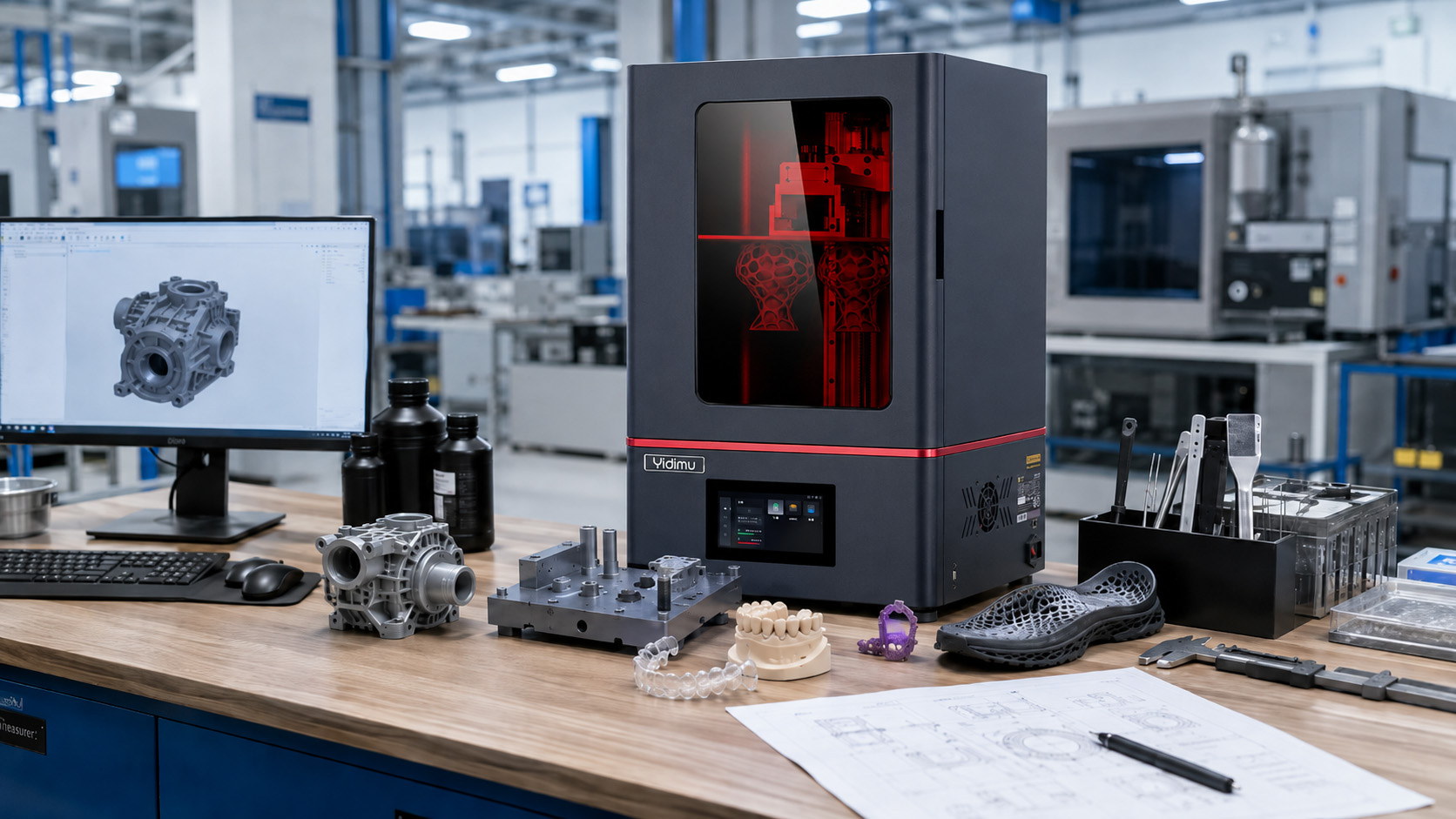
There is no single best 3D printer for every user. For professional applications, the best machine is the one that can repeatedly produce the required part in the correct material, within the necessary build size, quality level, processing time and operating workflow. A dental laboratory may prioritize fine detail, resin indication and controlled post-curing, while a factory may prioritize build volume, repeatability, batch capacity and technical support. Buyers should therefore compare complete printing systems—including the printer, resin, slicing process, cleaning, UV curing, inspection and service—not simply screen resolution, layer height or advertised speed.
Why “Best” Depends on the Application
Searching for the best 3D printer on the market often produces ranked lists with an overall winner. That format may help hobby users choose a general-purpose desktop machine, but it is less useful for factories, dental laboratories and professional production teams.
Current review roundups divide printers into categories such as budget, beginner, business, precision, engineering and resin printing. This reflects an important reality: a machine that performs well in one category may be unsuitable for a different material, part size or production workflow.
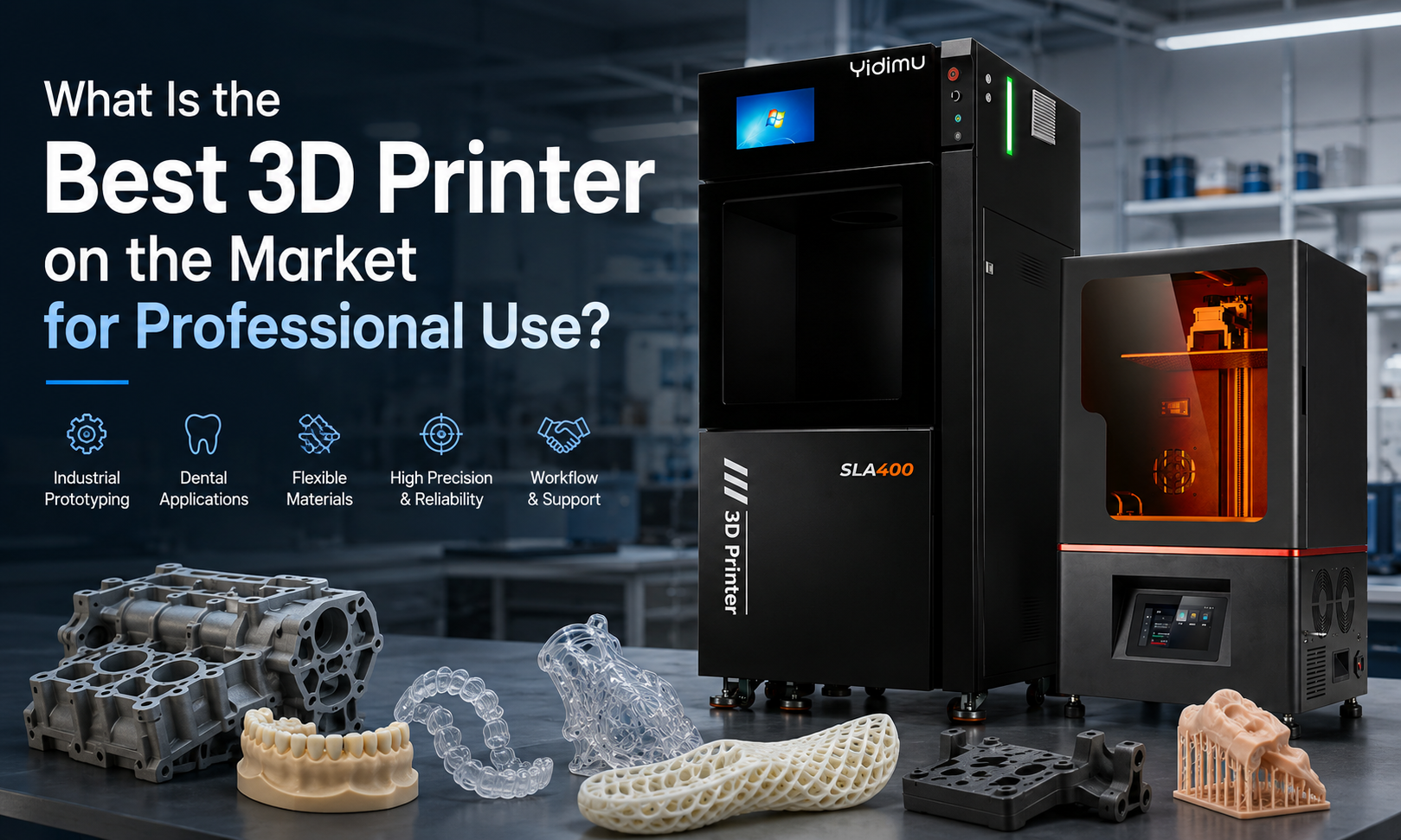
Professional buyers should begin with five questions:
- What will be printed?
- Which material properties are required?
- How large is the part or batch?
- What level of dimensional consistency and surface quality is needed?
- How will the part be cleaned, cured, inspected and used?
The answer to these questions is more valuable than a generic ranking.
What Does “Best 3D Printer” Mean for a Professional Buyer?
For professional use, “best” should mean best application fit, not the highest number in a specification table.
A suitable printer should support the complete path from a digital model to an inspected, usable part. This includes model preparation, orientation, support design, slicing, material preparation, printing, draining, cleaning, drying, support removal, UV curing and final inspection.
Research into additive-manufacturing process planning also shows that preparing a model for printing involves multiple objectives and trade-offs. Geometry, orientation, supports, process choice and manufacturing constraints all affect the result.
A practical definition is:
The best professional 3D printer is the system that produces acceptable parts consistently, safely and economically under the buyer’s actual operating conditions.
This definition includes:
- Application suitability
- Material compatibility
- Usable build capacity
- Dimensional consistency
- Surface and feature quality
- Batch productivity
- Workflow stability
- Post-processing requirements
- Operator workload
- Maintenance and technical support
- Total cost per acceptable part
Which 3D Printing Technology Is Best for Your Application?
No printing technology is automatically better in every situation. The appropriate process depends on the geometry, material, required surface, mechanical function and production quantity.
| Application | Usually Suitable Approach | Main Selection Priority | Important Limitation to Check |
|---|---|---|---|
| Detailed industrial appearance prototypes | Professional resin 3D printing | Surface quality, feature reproduction and build size | Resin properties and post-curing |
| Dental models and related dental workflows | Dental resin 3D printing system | Resin indication, workflow control and repeatability | Clinical or intraoral suitability cannot be assumed |
| Flexible shoe, lattice or elastic samples | Flexible resin printing system | Material-machine matching and support strategy | Final behavior depends on structure and curing |
| Large, simple thermoplastic parts | Material extrusion may be practical | Part size and material cost | Layer lines and feature detail |
| Casting patterns and detailed models | Resin printing with an appropriate casting material | Surface, burnout behavior and model integrity | Follow the material supplier’s process |
| Functional end-use components | Depends on the required material | Mechanical, thermal and environmental requirements | A visual prototype resin may not be suitable |
| Repeated high-volume production | Printing, molding or a hybrid workflow | Cost per acceptable part and throughput | Printing is not automatically the lowest-cost process |
Vat photopolymerization uses light to cure liquid photopolymer resin layer by layer. It is commonly selected where fine details and precise feature reproduction are important. Printed parts normally require cleaning to remove residual resin and UV post-curing as part of the finished workflow.
When Is a Professional Resin 3D Printer the Best Choice?
A professional resin 3D printer may be a strong choice when the application requires:
- Fine surface details
- Smooth appearance models
- Small holes, text or intricate features
- Dental models or dental production workflows
- Casting patterns
- Product-development samples
- Engineering appearance prototypes
- Complex lattice structures
- Flexible or elastic resin samples
- Multiple small parts arranged in one batch
However, resin printing should not be selected only because it can produce detailed surfaces. The buyer must also confirm whether an available resin can meet the required strength, flexibility, temperature resistance, color, dimensional behavior and intended use.
Best 3D Printer for Industrial Prototyping
Factories often need more than a visually attractive sample. They may need to evaluate fit, assembly, appearance, ergonomics, clearances or the overall form of a product before tooling.
For these applications, compare industrial resin 3D printer options according to:
- Maximum model dimensions
- Number of parts required in each batch
- Orientation and support requirements
- Repeatability across multiple builds
- Dimensional behavior after cleaning and curing
- Resin options for the intended test
- Ease of removing the printed part
- Time required for cleaning and curing
- Availability of replacement consumables
- Technical assistance during parameter development
A factory printing one large housing has a different requirement from a manufacturer printing 40 small components per batch. Both projects may fit within the nominal build volume, but the best equipment configuration may be different.
Best 3D Printer for Dental Laboratories and Clinics
Dental buyers should evaluate the printer, resin and post-processing equipment as one controlled workflow.
Important questions include:
- What is the intended dental application?
- Is the selected resin indicated for that application?
- Is the printer compatible with the material?
- What cleaning process does the material require?
- Which curing equipment and curing procedure are specified?
- How will dimensional consistency be checked?
- Can the workflow be documented and repeated by different operators?
- What local regulatory requirements apply?
Professional dental 3D printers for laboratories and clinics should therefore be assessed using representative dental files and the intended resin—not only a generic demonstration model.
Customers should confirm resin indication, post-curing process and local regulatory requirements before clinical or intraoral use.
A high-resolution display does not make an unidentified resin suitable for surgical guides, temporary restorations or other regulated applications. The material indication and complete processing procedure remain essential.
Best 3D Printer for Flexible Resin Parts
Flexible resin printing may be used for shoe samples, elastic prototypes, lattice cushioning structures, soft models and other deformable components.
The best machine for these applications is not necessarily the machine with the highest nominal resolution. Flexible printing may require careful control of:
- Resin temperature and condition
- Part orientation
- Support contact location
- Peel or separation forces
- Wall thickness
- Lattice geometry
- Drainage
- Cleaning
- Drying
- UV curing
- Support removal
- Final conditioning before evaluation
Buyers evaluating flexible resin 3D printing systems should provide an actual model whenever possible. A simple rigid calibration block cannot adequately demonstrate the behavior of a flexible lattice, shoe component or thin elastic structure.
Final softness, rebound, strength and durability may vary with the resin formulation, geometry, printing parameters and post-processing procedure. Sample testing is therefore important before purchasing equipment for a defined flexible-material application.
The Eight Most Important Printer Selection Criteria
1. Application Fit
Begin with the finished part, not the machine.
Document:
- Part name and intended function
- Whether it is visual, dimensional or functional
- Required material behavior
- Operating environment
- Contact with skin, food or the oral cavity, where applicable
- Whether the part is a prototype, tool, model or production component
A printer may create the shape successfully while the resin remains unsuitable for the intended function.
2. Usable Build Volume
Do not compare build volume using one dimension alone.
Confirm:
- Maximum part length, width and height
- Required orientation
- Space needed for supports
- Clearance between multiple parts
- Whether the platform can accommodate the expected batch
- Whether the part can be removed and handled safely
The largest possible part may not represent the most stable or productive arrangement.
3. Dimensional Consistency and Repeatability
Resolution, accuracy and repeatability are related but different concepts.
A buyer should ask:
- How closely does the printed part match the target dimensions?
- Does the same area of the platform produce similar results?
- Can the machine repeat the result on another day?
- Does the result remain stable after washing and UV curing?
- Do several printers produce comparable output, if scaling is planned?
Research on 3D printability notes that the final result can vary with the model, process, machine and geometric constraints. A specification cannot by itself predict whether every model will print successfully.
4. Material Compatibility
A professional printer must work with materials appropriate for the intended application.
Ask the supplier to confirm:
- Recommended exposure range
- Printer wavelength compatibility
- Resin handling requirements
- Cleaning procedure
- Drying requirements
- UV curing conditions
- Storage requirements
- Safety Data Sheet availability
- Technical Data Sheet availability
- Whether the resin has a defined application indication
“Supports many resins” is not the same as “every resin will provide acceptable performance.”
5. Real Throughput
Advertised print speed is not the same as production throughput.
Professional throughput should include:
- File preparation
- Support design
- Printer setup
- Actual printing time
- Draining time
- Platform removal
- Washing
- Drying
- Support removal
- UV curing
- Inspection
- Rework and failed builds
A fast exposure process may still result in a slow production workflow when loading, cleaning or curing creates a bottleneck.
6. Software and Operator Control
The best hardware can underperform when the model-preparation workflow is difficult to control.
Evaluate whether the workflow allows operators to:
- Inspect and repair models
- Select orientation
- Generate and edit supports
- Arrange batches
- Apply material-specific parameters
- Save repeatable configurations
- Record print settings
- Identify failures
- Transfer files reliably
- Train new operators
Professional users should also determine whether they require centralized file management, local operation, production records or other internal controls.
7. Post-Processing System
Cleaning and UV curing are part of resin printing, not optional accessories.
A complete evaluation should examine:
- Cleaning-container capacity
- Compatibility with the selected cleaning method
- Part drainage
- Drying area
- UV curing chamber dimensions
- Light distribution
- Material-specific curing instructions
- Part positioning
- Handling after curing
- Waste and solvent management
The NIOSH description of vat photopolymerization similarly treats chemical cleaning and UV post-curing as normal stages following printing.
8. Service, Maintenance and Consumables
Professional buyers should ask what happens after installation.
Confirm:
- Installation support
- Operator training
- Parameter assistance
- Troubleshooting process
- Remote support availability
- Maintenance schedule
- Replacement film or vat availability
- Platform and consumable supply
- Spare-part availability
- Documentation and download resources
- Warranty scope
- Response process when a machine stops operating
The purchase price has limited value if a required consumable or technical answer is unavailable during production.
Specifications That Should Not Be Evaluated in Isolation
Screen Resolution
A higher pixel count may allow a smaller projected pixel size, but it does not independently determine finished-part accuracy.
The result can also be affected by:
- Optical distribution
- Exposure settings
- Resin behavior
- Model orientation
- Support forces
- Platform calibration
- Separation mechanics
- Washing
- UV curing
- Measurement method
Ask for measured samples instead of relying on the screen label alone.
Layer Height
A thinner layer may improve some vertical details, but it may also increase the number of layers and total processing time. It does not automatically correct poor orientation, insufficient support or unsuitable exposure settings.
Maximum Speed
Speed values should be interpreted together with:
- Layer thickness
- Resin type
- model cross-sectional area
- Lift or separation settings
- Part height
- Support design
- accepted quality level
Compare the time required to produce your part, not the highest speed demonstrated under unrelated conditions.
Build Volume
A large platform is useful only when the optical system, motion system, material process and post-processing workflow can support the required part or batch.
Material List
A long resin list does not show whether each material has been tested for a buyer’s particular geometry and performance requirement.
Printer Price
A lower equipment price may not produce a lower cost per usable part.
How to Test a 3D Printer Before Buying
A representative sample test is one of the most useful steps in professional equipment selection.
Yidimu provides a sample printing service for application evaluation that buyers can use to examine a real model before making a final equipment decision.
Step 1: Select a Representative Model
Choose a file that reflects actual production work.
It should include relevant features such as:
- Thin walls
- Holes
- Text
- Flat surfaces
- Curves
- Assembly interfaces
- Support-sensitive surfaces
- Flexible lattices
- Dental margins
- Large cross-sections
Avoid selecting only a decorative demonstration model.
Step 2: Define the Acceptance Criteria
State what needs to be evaluated:
- Overall dimensions
- Critical hole or slot dimensions
- Surface finish
- Feature visibility
- Flatness
- Assembly fit
- Flexibility
- Color
- Transparency
- Support marks
- Number of parts per batch
Do not ask whether the result is simply “good.” Define what acceptable means for the project.
Step 3: Confirm the Test Material
Record:
- Resin name or category
- Intended use
- Color
- Required flexibility or hardness
- Cleaning process
- UV curing procedure
- Any special conditioning before measurement
A result obtained with one resin should not automatically be attributed to another material.
Step 4: Record the Complete Workflow
The test report should identify:
- Model orientation
- Support approach
- Layer setting
- Printing time
- Number of parts
- Cleaning process
- Drying process
- UV curing process
- Support-removal stage
- Measurement timing
This helps the buyer understand whether the result can be repeated after installation.
Step 5: Inspect the Finished Part
Evaluate the sample after the complete post-processing procedure.
Check:
- Critical dimensions
- Warping
- Shrinkage
- Surface defects
- Trapped resin
- Closed holes
- Support damage
- Cracks
- Incomplete curing
- Assembly behavior
Step 6: Repeat the Test When Repeatability Matters
A single successful part demonstrates possibility. It does not necessarily demonstrate stable production.
For important applications, consider:
- Printing the same part more than once
- Printing several parts across the platform
- Comparing different batches
- Checking measurements after curing
- Recording any parameter changes
Professional Buyer Checklist
Before requesting a quotation, prepare the following information:
- Application and industry
- Model dimensions
- File or model screenshot
- Required material category
- Required color or surface
- Critical dimensions
- Estimated number of parts per batch
- Daily, weekly or monthly demand
- Whether the part is a prototype or final component
- Cleaning and curing resources already available
- Available workspace
- Electrical and ventilation conditions
- Operator experience
- Required installation or training support
- Target delivery region
This information allows the supplier to recommend a printer and workflow based on the project rather than providing an unqualified model recommendation.
Calculate the Total Cost per Acceptable Part
Professional equipment should be evaluated using total workflow cost.
Include:
| Cost Category | What to Include |
|---|---|
| Equipment | Printer, cleaning equipment and UV curing equipment |
| Material | Resin used in the part, supports and unavoidable residual material |
| Consumables | Vat film, filters, containers, gloves and cleaning materials |
| Labor | File preparation, loading, washing, curing, support removal and inspection |
| Failed Builds | Resin, machine time and operator time lost |
| Maintenance | Replacement components and scheduled servicing |
| Workspace | Ventilation, storage, benches, spill control and waste handling |
| Quality Control | Measuring tools, records, test prints and revalidation |
| Technical Support | Training, troubleshooting and application-development assistance |
The lowest machine price may become expensive when failure rates, labor or downtime are high. Conversely, a more complete system may reduce manual work or simplify process control. Buyers should compare quotations using their expected workflow rather than the printer price alone.
Resin Printing Safety and Workspace Planning
Liquid photopolymer resin and post-processing chemicals require controlled handling.
NIOSH notes that some chemicals in liquid light-curing resins may cause skin irritation or sensitization. Its guidance recommends following the Safety Data Sheet, using appropriate gloves and eye protection, controlling exposure through suitable engineering measures and managing waste according to applicable requirements.
A professional resin-printing area should consider:
- Suitable ventilation
- A stable printer workstation
- Separate clean and resin-handling areas
- Appropriate chemical-resistant gloves
- Eye protection where splashing is possible
- Spill-control materials
- Covered resin and cleaning containers
- Clear labeling
- Access to Safety Data Sheets
- Safe storage away from unintended UV exposure
- Procedures for contaminated tools and wipes
- Local requirements for resin and cleaning-waste disposal
NIOSH emphasizes that personal protective equipment should not be the only control. Ventilation, enclosures, administrative procedures and user training should also be considered according to the process and workspace.
Common Mistakes to Avoid
Choosing a Printer Only by Resolution
Screen resolution is one component of a resin printer. It does not replace sample evaluation, dimensional measurement or workflow validation.
Comparing Advertised Speed Without Comparing the Test Conditions
Two speed figures may have been produced using different materials, layer heights, model shapes and quality settings.
Ignoring the Resin
The printer creates the geometry, but the resin strongly influences flexibility, brittleness, color, thermal behavior, surface and suitability for the intended use.
Treating Post-Curing as a Generic Step
Curing requirements may vary by material, part dimensions, color, wall thickness, equipment and intended application. There is no universal curing time for every resin.
Assuming Every Resin Is Suitable for Dental Use
A resin should not be used clinically or intraorally merely because it can be printed. Confirm the indicated use, processing instructions and local regulatory requirements.
Buying Exactly the Minimum Build Size
A model that barely fits may leave insufficient room for orientation, supports, drainage or batch arrangement.
Evaluating Only One Successful Sample
One successful print does not establish long-term repeatability. Important applications may require repeated prints and measurements.
Forgetting Operator Labor
Removing parts, cleaning, curing and finishing may consume more labor than expected. Include these tasks in the productivity calculation.
Buying Before Testing the Actual Model
Generic demonstration files may not reveal problems involving flat surfaces, flexible structures, thin walls, dental margins or large cross-sections.
Selecting a Supplier Without Reviewing Support
Confirm the technical-support process, documentation, training, consumables and replacement parts before the equipment is required for production.
Frequently Asked Questions
What is the best 3D printer on the market?
There is no universal best printer. The best option is the machine and material workflow that can repeatedly produce your required part at the necessary size, quality, throughput and operating cost. Professional buyers should evaluate application fit, resin compatibility, build capacity, post-processing and technical support.
What type of 3D printer is best for professional use?
The appropriate type depends on the application. Resin printers may be suitable for detailed models, dental workflows, casting patterns, appearance prototypes and flexible resin structures. Material-extrusion systems may be more practical for some large thermoplastic parts. Other processes may be needed for metal, powder-based or specialized production applications.
Are resin 3D printers better than filament printers?
Neither process is better for every part. Resin printing is often selected for fine features and smoother surfaces, while filament printing may be practical for larger thermoplastic parts or applications where visible layer texture is acceptable. Material requirements and finished-part use should guide the decision.
What is the best 3D printer for a factory?
A factory should select equipment based on the largest required part, batch size, material, critical dimensions, operator workflow, cleaning and curing capacity, maintenance requirements and expected production frequency. A representative sample test should be completed before purchasing when possible.
What is the best 3D printer for a dental laboratory?
The best dental printer is one that supports the laboratory’s specific application, compatible indicated resin, validated cleaning and curing procedure, repeatable production and quality-control process. Different applications may require different materials and workflows.
Is higher resolution always better?
Not necessarily. Higher nominal resolution may support smaller projected features, but actual part results also depend on optics, exposure, resin, orientation, support design, calibration, cleaning, curing and measurement. Examine representative printed samples.
How should I compare 3D printer speed?
Compare the total time required to produce an acceptable finished part. Include file preparation, printing, draining, washing, drying, support removal, curing and inspection. Confirm that competing speed figures use comparable layer settings, materials and models.
Can one resin printer use every type of resin?
No printer should be assumed to work successfully with every resin. Compatibility depends on factors such as wavelength, exposure behavior, viscosity, temperature, separation forces and required post-processing. Confirm each material with the printer or resin supplier.
Should I request a sample before buying a professional 3D printer?
Yes, especially when dimensional fit, flexible behavior, dental details, surface finish or batch productivity is important. Submit an actual model, material requirement and acceptance criteria so the result reflects the intended application.
How much does a professional 3D printer cost?
Pricing varies with printing technology, build volume, equipment configuration, post-processing system, shipping, installation and support. Compare complete quotations and calculate cost per acceptable part rather than evaluating only the printer price.
Can a resin printer be used for small-batch production?
It may support small-batch production when the part, resin, build arrangement, cleaning process, curing process and inspection requirements are suitable. Buyers should validate repeatability, labor requirements and cost per acceptable part before committing to production.
How do I know whether a printed resin part is suitable for end use?
Confirm the material’s documented properties and intended application, then test the finished part under the expected mechanical, thermal, environmental and service conditions. A successful print does not automatically establish end-use suitability.
Conclusion: Choose the Best Printer for the Part, Not the Ranking
The answer to “what is the best 3D printer on the market?” depends on what the buyer needs to produce.
For factories, the priority may be industrial build capacity, repeatability and batch workflow. For dental laboratories, material indication and controlled post-processing may be more important. For flexible applications, the resin, geometry, supports and curing process must work together.
Do not choose a professional printer from one headline specification. Define the application, identify the material, calculate the required build capacity, test a representative model and evaluate the complete printing-to-inspection workflow.
To review a project, contact Yidimu for printer and workflow selection support and provide:
- Model size
- Resin requirement
- Intended application
- Expected printing and post-processing workflow
- Required quantity
- Production or sample-making needs
Yidimu can then evaluate whether an industrial, dental or flexible resin printing configuration is appropriate for the project.
Optional References
- National Institute for Occupational Safety and Health, Approaches to Safe 3D Printing: A Guide for Makerspace Users, Schools, Libraries, and Small Businesses. The guide covers vat photopolymerization, chemical handling, post-processing, engineering controls and personal protective equipment.
- Livesu et al., From 3D Models to 3D Prints: An Overview of the Processing Pipeline. The paper reviews model preparation and process-planning considerations in additive manufacturing.
- Fudos et al., A Characterization of 3D Printability. The research examines how machine capabilities, process type and model geometry influence printability.