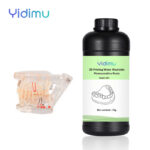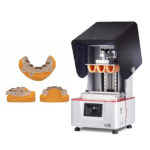
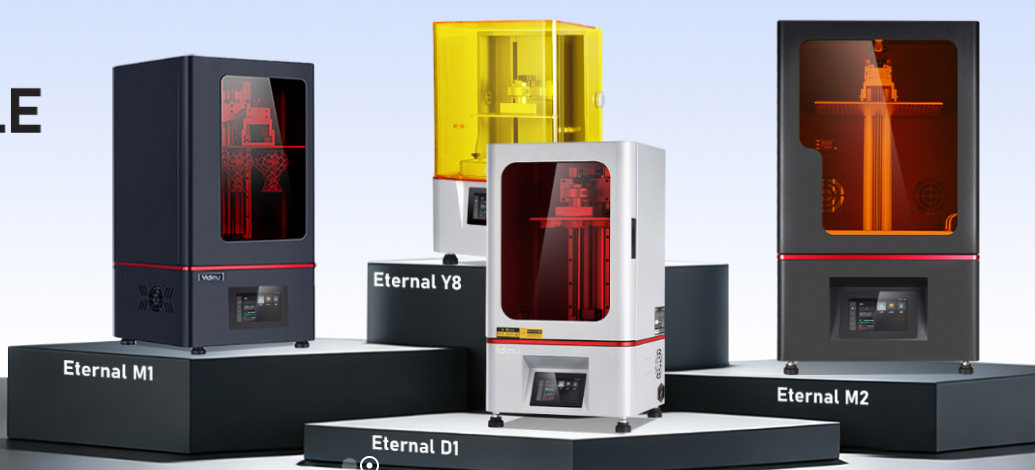
The best 3D printer is the one that can consistently produce the required part using the correct material, build size, dimensional tolerance, surface finish, and production workflow. Resin 3D printers are often suitable for detailed industrial prototypes, dental models, casting patterns, flexible structures, and smooth presentation samples. Filament, powder-bed, and metal systems may be more appropriate for other applications. Professional users should therefore evaluate the complete process—including file preparation, material compatibility, printing, cleaning, curing, inspection, technical support, and operating cost—rather than choosing a printer from one advertised specification.
There Is No Single Best 3D Printer for Every Application
Asking “what is the best 3D printer?” is similar to asking which manufacturing machine is best without specifying the part.
A dental laboratory printing working models does not have the same requirements as a factory producing large appearance prototypes. A footwear developer testing elastic lattice structures needs a different material and process from a jewelry workshop producing castable patterns. An engineering team making heat-resistant fixtures may need a technology that is unsuitable for highly detailed dental models.
The correct question is:
Which 3D printer can produce my required part reliably, using the required material and workflow?
Additive manufacturing builds products from digital designs by adding material layer by layer. NIST notes that measurement methods and standards are important for expanding the reliable industrial use of these processes.
This means professional printer selection should begin with measurable application requirements—not brand popularity, screen resolution, advertised speed, or purchase price alone.
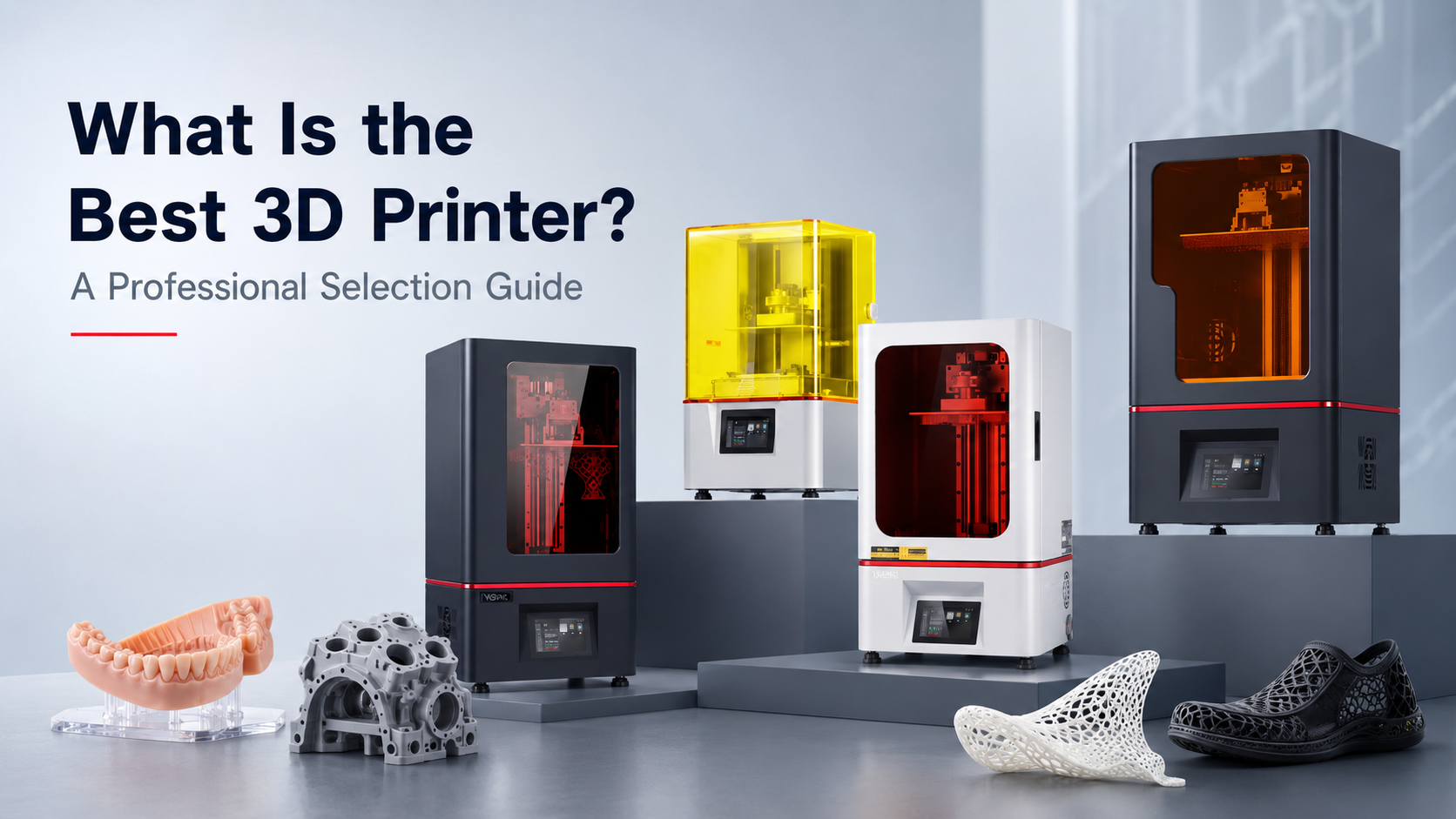
Which 3D Printing Technology Is Best for Your Application?
Different printing technologies solve different manufacturing problems.
| Printing technology | Common professional applications | Main strengths | Important limitations |
|---|---|---|---|
| Vat photopolymerization, including SLA, DLP, and LCD-based resin printing | Dental models, detailed prototypes, casting patterns, presentation models, flexible structures, smooth-surface components | Fine features, smooth surfaces, broad application-specific resin options, efficient production of multiple small parts | Requires resin handling, cleaning, drying, support removal, and controlled UV post-curing |
| Material extrusion | Large concept models, basic fixtures, low-cost prototypes, simple thermoplastic parts | Accessible materials, relatively straightforward operation, suitable for many larger parts | Visible layer lines, anisotropic properties, support limitations, and lower detail for some geometries |
| Polymer powder-bed fusion | Functional nylon parts, complex assemblies, low-volume production | No conventional support structures for many geometries, good nesting capability, functional polymer options | Powder handling, equipment cost, surface texture, and workflow complexity |
| Material jetting | Multi-material visual models, high-detail presentation parts, color models | Fine detail, multiple materials or colors in some systems | Higher material and operating costs, application-specific material limitations |
| Metal additive manufacturing | Aerospace, tooling, implants, high-value metal components | Complex metal geometries and application-specific alloys | High investment, powder safety requirements, process validation, heat treatment, and inspection requirements |
No technology wins every category. A machine that produces a visually impressive sample may not provide the mechanical behavior required for an end-use fixture. A printer that handles large thermoplastic components may not reproduce the small margins or surface detail expected in a dental workflow.
When Is a Resin 3D Printer the Best Choice?
A professional resin 3D printer may be the best option when the application prioritizes detail, controlled surfaces, small features, thin walls, application-specific photopolymers, or efficient production of multiple parts across a build platform.
Users evaluating this category can review professional resin 3D printer options according to their intended workflow.
Industrial Prototypes and Engineering Samples
Resin printing can support:
- Product appearance validation
- Enclosure and housing prototypes
- Assembly checks
- Master models
- Small engineering components
- Jigs and fixtures, depending on the resin
- Transparent or translucent demonstration parts
- Small-batch components
- Casting patterns
For these applications, the printer should be assessed together with the resin. A highly detailed printer cannot compensate for a material that lacks the required impact resistance, flexibility, thermal response, dimensional stability, or surface characteristics.
Factories comparing equipment should begin with their component dimensions, wall thicknesses, functional requirements, batch size, inspection method, and expected post-processing. Relevant system categories are available under industrial resin 3D printer options.
Dental Models and Dental Workflows
Vat photopolymerization is used in dentistry for models, surgical-guide workflows, orthodontic applications, temporary restorations, and other digitally produced components. Published reviews also emphasize that technology, materials, design preparation, and intended application must be considered together rather than treating all dental printing as one process.
A dental laboratory should evaluate:
- Intended printed indication
- Required build capacity
- Model or appliance dimensions
- Resin compatibility
- Supported layer settings
- Repeatability across the platform
- Cleaning procedure
- Post-curing equipment
- Traceability and recordkeeping
- Technical support
- Local regulatory requirements
Users can compare dental 3D printers for laboratories and clinics and examine how the printer fits into the complete digital workflow.
Customers should confirm resin indication, post-curing process and local regulatory requirements before clinical or intraoral use. A dental printer or resin should never be assumed suitable for every clinical application merely because it is marketed for dental production.
Flexible Resin Parts and Lattice Structures
Flexible photopolymers can support applications such as:
- Shoe prototypes
- Insoles and cushioning samples
- Elastic product models
- Lattice structures
- Soft-touch components
- Flexible housings
- Wearable prototypes
- Soft tooling concepts
However, “flexible” does not describe one fixed performance level. Hardness, rebound, tear behavior, fatigue resistance, wall thickness, lattice geometry, exposure parameters, orientation, cleaning, and curing can all affect the final result.
For this reason, users should evaluate flexible resin 3D printing systems through representative sample parts rather than relying only on a resin hardness value.
How to Choose the Best 3D Printer
1. Define the Part Before Comparing Printers
Prepare a clear application brief containing:
- Overall model dimensions
- Minimum and maximum wall thickness
- Smallest important feature
- Hole and channel dimensions
- Required surface quality
- Functional or visual purpose
- Expected material behavior
- Quantity per batch
- Number of batches per week or month
- Required inspection method
- Acceptable post-processing work
This information is more valuable than asking a supplier for its “highest-resolution printer.”
2. Match the Build Volume to Real Production Layouts
Build volume should be evaluated in three dimensions. A wide platform does not automatically accommodate a tall model, and a tall machine may still be inefficient for batches of short parts.
Also consider usable layout rather than only the maximum stated envelope. Supports, orientation, spacing, resin flow, drainage, and part removal may reduce the number of components that can practically fit on the platform.
Ask the supplier to show how representative parts would be arranged and supported.
3. Evaluate Material Compatibility
The best printer must support the material needed for the application.
Material questions should include:
- Is the resin intended for models, engineering parts, flexible structures, casting, or dental use?
- Is the resin compatible with the printer’s light source?
- What cleaning method does the material require?
- What post-curing conditions are specified?
- Does the part require flexibility, rigidity, transparency, temperature resistance, or impact resistance?
- Is the application visual, functional, clinical, or temporary?
- Are technical and safety documents available?
Professional users can review resin materials for different printing workflows, but final selection should be based on the formal technical data sheet, safety data sheet, printer compatibility, and application testing.
4. Distinguish Pixel Size, Layer Height, and Real Part Quality
Printer specifications are frequently misunderstood.
Pixel size describes a component of the projected image or exposure system in some resin printers.
Layer height describes the vertical distance between printed layers.
Dimensional accuracy describes how closely a finished part matches the intended dimensions under defined conditions.
Repeatability describes whether the system can reproduce comparable results across multiple prints, positions, operators, or production periods.
These values are related, but they are not interchangeable. A small pixel size does not guarantee that every geometry will reproduce at that dimension. Resin behavior, optical calibration, exposure, support design, orientation, cleaning, curing, temperature, and measurement method also influence the finished result.
Ask for sample validation using your own geometry.
5. Measure Throughput by Finished Parts, Not Printing Speed Alone
Advertised printing speed may refer to vertical movement, a particular resin, a specific layer setting, or a selected demonstration model.
Professional throughput should be measured as:
Acceptable finished parts produced per shift or per day.
Include:
- File preparation
- Support generation
- Machine setup
- Printing
- Resin drainage
- Washing
- Drying
- Support removal
- UV curing
- Surface finishing
- Inspection
- Rework
- Machine cleaning
A printer that completes exposure quickly but creates difficult cleaning, frequent support damage, or inconsistent curing may provide lower real productivity.
6. Examine the Complete Post-Processing Workflow
Resin printing does not end when the build platform rises.
A controlled workflow normally includes:
- Allowing excess resin to drain
- Removing the build platform or parts safely
- Washing according to the resin instructions
- Drying the parts completely
- Removing supports at the appropriate stage
- Post-curing using compatible equipment
- Completing any required surface finishing
- Inspecting dimensions and appearance
- Recording results when traceability is required
Post-processing conditions should follow the resin manufacturer’s documentation. Excessive or unsuitable curing may alter dimensions, color, surface condition, or mechanical behavior, while insufficient curing may leave the part below its intended final state.
The required workspace, personal protective equipment, ventilation, chemical storage, and waste-handling procedures should also be included in the equipment plan.
7. Assess Software and File Preparation
A professional machine should fit the user’s digital workflow.
Check:
- Accepted model and project formats
- Mesh inspection tools
- Orientation controls
- Support-generation controls
- Hollowing and drainage features
- Parameter management
- Job records
- Network or offline operation
- User permissions
- Software update policy
- Export and data-retention requirements
Research on additive-manufacturing process planning shows that converting a digital model into a reliable print involves multiple geometry-processing and preparation stages. The printer itself is only one part of that pipeline.
8. Review Maintenance and Technical Support
Professional production requires more than initial installation.
Ask how the supplier supports:
- Platform calibration
- Exposure-system checks
- Film or vat maintenance
- Resin handling
- Parameter development
- Failed-print diagnosis
- Replacement parts
- Software operation
- Remote troubleshooting
- Operator training
- Preventive maintenance
- Warranty procedures
The strongest specification sheet may provide little practical value when operators cannot resolve recurring failures or obtain workflow guidance.
9. Calculate Total Cost per Acceptable Part
Purchase price is only one cost component.
A more useful calculation includes:
- Printer purchase cost
- Resin consumption
- Supports and waste
- Failed prints
- Cleaning consumables
- Post-curing equipment
- Replacement films or vats
- Labor
- Maintenance
- Electricity
- Inspection
- Rework
- Downtime
- Training
A lower-priced printer may become expensive when failure rates, manual labor, maintenance interruptions, or material waste are high. Conversely, the most expensive machine is not automatically the best investment when its capacity exceeds the actual workload.
Professional Resin Printer Decision Table
| Application | Printer characteristics to prioritize | Material considerations | Workflow considerations |
|---|---|---|---|
| Dental models | Platform consistency, repeatable detail, appropriate build capacity | Resin indication, color, dimensional behavior, documented processing | Washing, drying, post-curing, inspection, traceability |
| Surgical-guide workflow | Controlled process, compatible exposure system, repeatability | Confirmed intended use and applicable documentation | Validated cleaning and curing, regulatory review |
| Industrial appearance prototypes | Build size, surface quality, detail reproduction | Surface finish, color, rigidity, sanding or coating response | Support removal, finishing labor, assembly evaluation |
| Engineering samples | Dimensional consistency and suitable geometry handling | Mechanical and environmental requirements | Measurement, fit testing, repeated production |
| Flexible prototypes | Parameter control, stable release behavior, suitable build layout | Hardness, rebound, tear behavior, fatigue, curing response | Orientation, supports, cleaning, post-cure validation |
| Jewelry or casting patterns | Fine features, smooth surfaces, stable geometry | Burnout behavior and casting-process compatibility | Cleaning, curing, pattern preparation, trial casting |
| Small-batch production | Repeatability, platform utilization, uptime | Lot consistency and end-use requirements | Scheduling, inspection, documentation, maintenance |
| Large resin models | Appropriate build envelope and motion stability | Shrinkage behavior and structural suitability | Resin consumption, drainage, handling, curing capacity |
Printer Selection Workflow
Step 1: Create an Application Requirement Sheet
Document the part, material, quantity, surface, dimensional, and functional requirements.
Step 2: Select the Most Appropriate Printing Process
Determine whether resin, material extrusion, powder-bed, material jetting, or metal additive manufacturing is the most suitable category.
Step 3: Shortlist Equipment by Build Size and Material
Remove machines that cannot accommodate the part, required batch, or necessary material class.
Step 4: Review the Full Workflow
Confirm the required slicing, supports, printing, washing, drying, curing, finishing, inspection, and safety procedures.
Step 5: Submit a Representative Model
Choose a model that includes the features that matter most:
- Thin walls
- Small holes
- Text
- Sharp edges
- Flat surfaces
- Curves
- Mating features
- Flexible lattices
- Critical dimensions
A simplified demonstration model may not reveal the actual production risks.
Step 6: Agree on Evaluation Criteria Before Printing
Define how the sample will be judged:
- Dimensional measurements
- Surface appearance
- Feature completeness
- Fit with mating parts
- Flexibility or rigidity
- Support marks
- Warpage
- Processing time
- Finishing labor
- Material consumption
Step 7: Inspect the Finished, Post-Cured Part
Do not judge only the part immediately after printing. Evaluate it after the complete recommended cleaning and curing workflow.
Step 8: Run a Repeatability Trial
When repeatability is important, print more than one sample or repeat the job. Compare parts from different positions on the platform and, where practical, across separate production cycles.
Step 9: Estimate Production Capacity and Cost
Calculate finished parts per cycle, operator time, resin usage, consumables, inspection, maintenance, and likely rework.
Step 10: Confirm Support and Commercial Terms
Review training, warranty scope, technical assistance, spare parts, shipping, installation requirements, and responsibilities on both sides.
Yidimu also provides a sample printing service for customers who need to evaluate a model and workflow before selecting equipment.
A Practical Pre-Purchase Checklist
Before ordering a professional 3D printer, confirm the following:
- The intended application is clearly defined.
- The largest and smallest parts have been reviewed.
- The printer has sufficient usable build space.
- The required resin or material category is compatible.
- A representative model has been tested.
- The finished and post-cured sample has been inspected.
- Critical dimensions have been measured.
- The required washing and curing equipment is understood.
- Workspace, ventilation, PPE, and waste handling are planned.
- Software and file-preparation requirements are confirmed.
- Operators can receive training or technical guidance.
- Maintenance items and consumables are identified.
- Cost per acceptable part has been estimated.
- Clinical or regulated applications have been reviewed separately.
- Warranty, shipping, installation, and support terms are documented.
Common Mistakes to Avoid
Choosing the Printer with the Smallest Advertised Pixel Size
Pixel size is not the same as guaranteed dimensional accuracy. Real results depend on the complete exposure, material, orientation, support, cleaning, curing, and calibration workflow.
Comparing Only Purchase Prices
A low initial price can be offset by failed prints, excessive labor, frequent consumable replacement, limited support, or unsuitable materials.
Ignoring the Resin
The printer and material form a process system. Choosing a machine before confirming material requirements can create an expensive compatibility problem.
Selecting Build Volume from One Dimension
Always check width, depth, height, orientation, supports, drainage, and batch layout.
Evaluating Only a Supplier’s Demonstration Model
Test your own model or a representative application part. Supplier demonstration pieces may be optimized for visual impact rather than your production requirements.
Treating Post-Processing as an Optional Extra
For resin workflows, washing, drying, support removal, curing, and inspection affect the final part. The curing unit must also accommodate the intended component size and workflow.
Assuming Every Dental Resin Has the Same Intended Use
A dental model material, surgical-guide material, temporary-restoration material, and general-purpose resin are not interchangeable. Confirm the formal intended use and processing documentation.
Buying Capacity That the Team Cannot Operate
Printer capacity is valuable only when the facility has the staff, workspace, post-processing equipment, material control, maintenance plan, and sufficient demand to use it.
Expecting One Machine to Cover Every Material and Application
Different materials may require different parameters, vats, cleaning procedures, curing conditions, or even dedicated workflows. In some facilities, separate equipment may be more practical than frequent material changes.
Frequently Asked Questions
What is the best 3D printer for professional use?
The best professional 3D printer is the system that consistently produces acceptable finished parts using the required material, build size, workflow, and inspection criteria. The answer depends on the application rather than one universal specification.
Is a resin 3D printer better than a filament printer?
A resin printer may be better for detailed surfaces, small features, dental models, casting patterns, and certain application-specific materials. A filament printer may be more suitable for basic large prototypes, some thermoplastic fixtures, and applications where visible layer texture is acceptable.
What is the best 3D printer for industrial prototypes?
For detailed appearance models, master patterns, smooth enclosures, and small engineering samples, an industrial resin printer may be suitable. For very large concept parts or thermoplastic fixtures, another process may be more appropriate. The model, material, dimensions, and function should be reviewed before equipment selection.
What is the best 3D printer for a dental laboratory?
A dental laboratory should prioritize compatible dental materials, repeatable platform performance, suitable capacity, controlled cleaning and curing, technical support, and compliance with the intended dental workflow. No machine should be considered appropriate for every dental indication by default.
What is the best 3D printer for flexible resin?
The best flexible-resin printer should provide compatible light exposure, stable release behavior, suitable build size, controllable parameters, and a validated workflow for the intended flexible material. A representative lattice, shoe component, or elastic part should be tested before purchase.
Does a higher-resolution specification always produce a more accurate part?
No. Resolution-related specifications describe only part of the system. Finished dimensions also depend on resin, calibration, exposure, orientation, supports, geometry, cleaning, curing, and measurement conditions.
Should I request a sample print before purchasing?
Yes. A representative sample can reveal surface quality, support marks, dimensional behavior, material response, post-processing labor, and application suitability. Define the evaluation criteria before the test.
How important is UV curing equipment?
UV curing is a critical part of many resin-printing workflows. The required curing conditions vary by material, part dimensions, wall thickness, color, equipment, and intended application. Users should follow the resin documentation rather than apply one universal curing time.
Can one resin printer produce dental, industrial, casting, and flexible parts?
A printer may support multiple material categories, but compatibility should be confirmed for each resin. Material changes can also require separate vats, parameter profiles, cleaning procedures, and contamination-control practices.
What information should I send to a printer supplier?
Send the model or representative file together with the overall dimensions, application, material requirements, critical features, quantity, surface expectations, dimensional requirements, and expected production workflow.
There is no universal answer to “what is the best 3D printer.” The correct choice depends on the part, material, build dimensions, required surface, dimensional expectations, production quantity, software, post-processing, inspection, safety controls, and technical support.
For detailed industrial prototypes, dental models, casting patterns, flexible structures, and smooth professional samples, a resin 3D printer may offer an effective workflow. However, the machine should always be evaluated as part of a complete production system rather than as an isolated piece of equipment.
To receive a more relevant equipment and workflow assessment, contact Yidimu for printer selection support and provide your model size, resin requirement, application, expected workflow, and production or sample-making needs.
Optional References
- National Institute of Standards and Technology. Additive Manufacturing. NIST describes additive manufacturing as the layer-by-layer fabrication of parts from digital designs and emphasizes the role of measurement science and standards in industrial adoption.
- Livesu M, Ellero S, Martínez J, Lefebvre S, Attene M. From 3D Models to 3D Prints: An Overview of the Processing Pipeline. The paper reviews the geometry-processing and process-planning stages required to convert digital models into printable production data.
- Khorsandi D, et al. 3D and 4D Printing in Dentistry and Maxillofacial Surgery: Recent Advances and Future Perspectives. The review discusses dental printing technologies, materials, and application considerations.