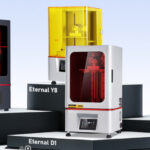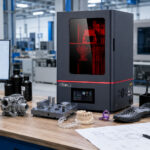
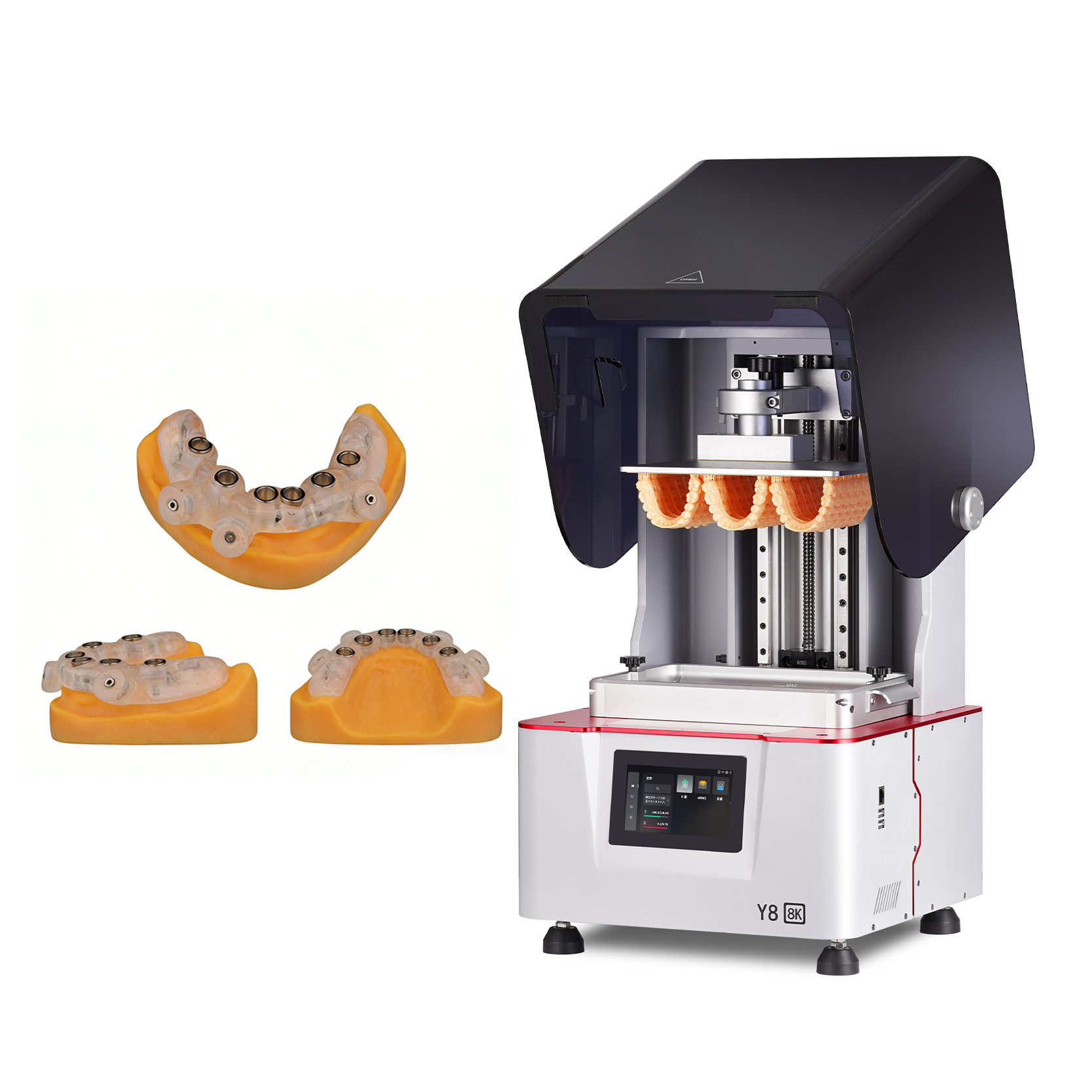
When buying a 3D printer, first define what parts you need to produce, their maximum dimensions, required resin properties, acceptable tolerances, expected production volume and post-processing requirements. Then evaluate usable build volume, material compatibility, dimensional repeatability, print reliability, software, calibration, cleaning and curing equipment, maintenance, technical support and total operating cost. Do not choose a professional printer only because it has a high-resolution screen, a large build area or an impressive speed claim. The best choice is the system that can produce your required parts consistently within a controlled and practical workflow.
Introduction
A 3D printer should be selected as part of a complete manufacturing workflow, not as an isolated machine.
For factories, dental laboratories, engineering teams and professional production users, the purchase decision affects model preparation, resin storage, printing, cleaning, drying, support removal, UV post-curing, inspection, documentation and maintenance. A printer that looks capable on a specification sheet may still be unsuitable if its material range, usable build area, workflow control or technical support does not match the application.
Vat photopolymerization systems produce parts by selectively curing liquid photopolymer resin with a light source. Printed parts generally require additional cleaning and post-curing before they reach their intended condition. These steps are part of the production process and should be considered before equipment is purchased.
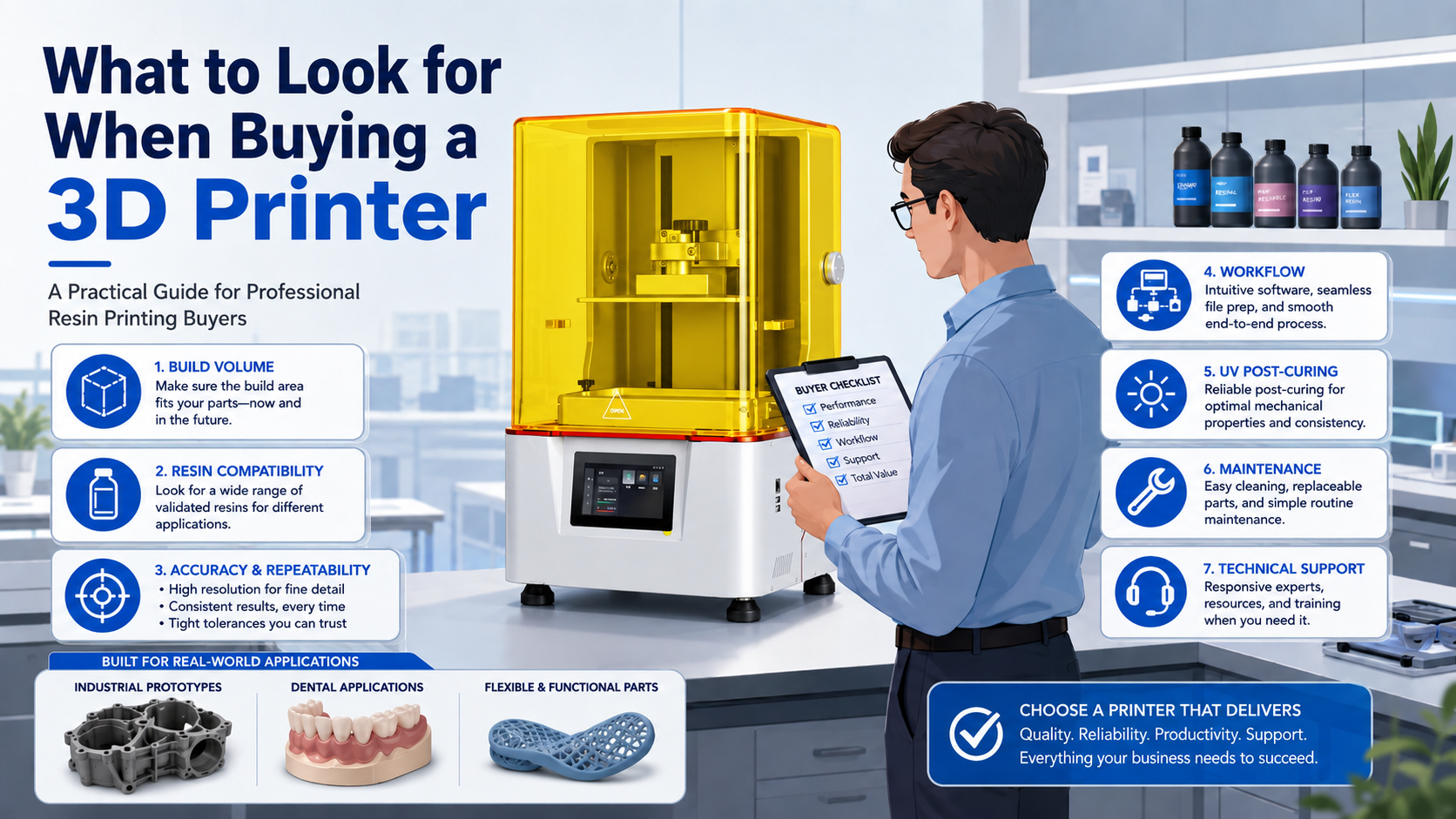
This guide explains what to look for when buying a 3D printer for professional resin printing, including industrial prototypes, dental models, flexible parts, engineering samples, product-development models and limited production workflows.
1. Start With the Application, Not the Printer Specification
The most important question is not “Which printer has the highest resolution?”
It is:
What must the printer produce, and how will the printed part be used?
Before comparing equipment, define the application in practical terms:
- Is the part an appearance model, engineering prototype or functional test piece?
- Does it need to fit with another component?
- Will it be used for dimensional inspection?
- Does it need flexibility, toughness, transparency or casting performance?
- Is it a dental model, surgical-guide-related part or another dental application?
- Is the printer intended for occasional samples or continuous daily production?
- Will one large part or multiple smaller parts be printed in each batch?
- What level of finishing is expected?
- How quickly must the part move from file preparation to inspection?
The answers determine the required printer category, resin, build volume, workflow and post-processing system.
Buyers evaluating several applications can begin with a broad review of professional resin 3D printer options before comparing individual machines.
2. Determine Whether Resin 3D Printing Fits the Job
Resin 3D printing is often considered when a project requires detailed surfaces, fine features, complex geometry or carefully controlled model production. However, it is not automatically the correct process for every part.
The suitability of resin printing depends on:
- Part geometry
- Required dimensions
- Wall thickness
- Surface expectations
- Mechanical requirements
- Operating temperature
- Chemical exposure
- Required service life
- Production quantity
- Available post-processing equipment
- Resin documentation and intended use
A visual prototype and a functional production component may look similar but have very different material requirements. A resin that works for an appearance model may not be appropriate for repeated loading, long-term deformation, elevated temperature or outdoor exposure.
The buyer should therefore evaluate the printer and resin as a combined process rather than assuming that any resin can be used successfully in any machine.
3. Match the Printer Category to the Intended Work
Professional resin printers can be grouped by their primary application, although some systems may support more than one type of work.
| Printer category | Typical applications | Main buying priorities |
|---|---|---|
| Industrial resin printer | Product prototypes, engineering samples, housings, fixtures, presentation models and limited production | Build volume, dimensional stability, repeatability, material range and workflow reliability |
| Dental resin printer | Dental models, laboratory workflows and application-specific dental parts | Validated material workflow, repeatability, traceability, cleaning, post-curing and local requirements |
| Flexible-resin printer | Elastic prototypes, shoe-development samples, lattice structures and soft components | Resin behavior, release control, support strategy, temperature control and post-processing |
| Large-format resin printer | Large models, full assemblies and larger prototypes | Usable build area, vat management, part weight, platform handling, resin consumption and dimensional consistency |
| Sample-development system | Product evaluation, material testing and process development | Parameter flexibility, technical support, documentation and inspection methods |
For engineering prototypes and factory sample making, examine industrial resin 3D printer options.
Dental laboratories and clinics should compare systems designed around professional dental 3D printing workflows.
Projects involving elastic parts, shoe samples or lattice structures should be evaluated against the capabilities of flexible resin 3D printing systems.
4. Check the Usable Build Volume
Build volume is one of the easiest specifications to compare and one of the easiest to misunderstand.
The advertised build volume describes the machine’s nominal printing envelope. It does not necessarily tell you how your actual models will fit after orientation, supports, drainage space, platform margins and process allowances are considered.
Questions to ask about build volume
- What is the largest part you print today?
- What is the largest part you may need to print during the next two or three years?
- Can the part be divided without affecting inspection, appearance or assembly?
- How much space will supports and orientation require?
- How many parts must fit on one platform?
- Will tall parts create additional stability or release challenges?
- Can operators safely handle the loaded platform?
- How much resin is required to maintain the necessary vat level?
A machine with a very large platform may increase resin inventory, cleaning requirements and handling difficulty. A machine that is too small may force the team to divide models, add joints or run too many separate batches.
The correct choice is normally the smallest system that can accommodate the intended parts and batch layout with reasonable operating margin.
5. Evaluate Pixel Size, Layer Height and Real Part Quality Separately
Screen resolution is commonly used in marketing, but terms such as “8K,” “12K” or “14K” do not independently define final dimensional quality.
Professional buyers should distinguish between:
- Screen pixel count
- Pixel dimensions
- Effective XY pixel size
- Optical uniformity
- Exposure control
- Layer height
- Z-axis motion
- Resin behavior
- Model orientation
- Support design
- Calibration
- Cleaning
- Post-curing
- Inspection method
A higher pixel count may support finer image definition, but final results depend on the complete exposure and mechanical system. Two printers with similar screen specifications may produce different outcomes because of light distribution, motion control, platform stability, resin settings or process calibration.
Similarly, a small layer height does not guarantee better dimensional accuracy. It primarily affects the vertical sampling of the model and may increase print time. The best layer setting depends on geometry, resin, surface requirements and validated parameters.
Ask the supplier for printed samples that are relevant to your work rather than relying only on a specification label.
6. Ask About Accuracy, Repeatability and Process Capability
Accuracy and repeatability are related but different.
Accuracy describes how closely the printed result corresponds to the intended dimension.
Repeatability describes whether the same process can produce similar results across multiple builds, operators, machines or production days.
For professional users, repeatability may be more important than producing one impressive demonstration sample.
A practical evaluation should include
- The same model printed in different platform locations
- Multiple copies printed in one batch
- Repeated builds using the same settings
- Critical dimensions measured after complete post-processing
- Results from both small and large geometries
- Parts with thin walls, holes, slots and mating features
- Records of orientation, support, exposure and curing conditions
Do not accept a general accuracy statement without understanding how it was measured. Ask whether the figure refers to pixel size, layer height, a single test feature, dimensional deviation or another measurement.
For assembly parts, define the actual critical dimensions and acceptable deviations before asking a supplier to demonstrate suitability.
7. Confirm Resin Compatibility
A professional 3D printer is only useful when it can support materials appropriate for the intended application.
Resin compatibility should be evaluated at several levels:
- Wavelength compatibility: The resin must respond appropriately to the printer’s light source.
- Exposure compatibility: Suitable settings must be available or developable.
- Mechanical compatibility: The cured material must match the functional requirement.
- Process compatibility: Viscosity, temperature, release behavior and support requirements must suit the machine.
- Post-processing compatibility: Cleaning and curing procedures must be practical and documented.
- Application compatibility: The resin’s stated intended use must match the printed part.
- Documentation: Technical data and safety information should be available.
Buyers can review Yidimu resin material categories when planning printer-and-material combinations.
Basic resin selection table
| Requirement | Resin characteristics to investigate | Questions for the supplier |
| Appearance prototype | Surface finish, color, sanding and painting behavior | Can a representative appearance part be tested? |
| Assembly prototype | Dimensional behavior, toughness and stability | How should clearances be designed and inspected? |
| Flexible component | Hardness, rebound, tear behavior and long-term deformation | What structures and post-curing conditions are recommended? |
| Casting pattern | Burnout behavior and residue control | What casting workflow and process limitations apply? |
| Dental model | Detail, dimensional workflow and application indication | Which printer, resin, cleaning and curing combination is supported? |
| Transparent component | Optical appearance, yellowing and polishing requirements | What finishing is required to achieve the expected transparency? |
| Limited production part | Repeatability, aging, environment and load conditions | Has the complete application been evaluated rather than only the initial print? |
Do not assume that a material labeled “tough,” “flexible” or “high temperature” will meet every project requirement. Ask for the relevant technical data sheet, safety data sheet, processing instructions and application limitations.
8. Examine Print Speed in the Context of Throughput
A printer’s stated speed does not automatically equal production throughput.
Throughput includes the entire sequence:
- Model preparation
- File checking
- Orientation
- Support generation
- Slicing
- Resin preparation
- Printer setup
- Printing
- Draining
- Part removal
- Cleaning
- Drying
- Support removal
- UV post-curing
- Surface finishing
- Inspection
- Rework, if needed
A fast exposure system provides limited benefit if the platform takes a long time to prepare, prints fail frequently, cleaning becomes a bottleneck or the curing system cannot accommodate the batch.
Ask for throughput information based on your model
Provide a representative file and ask:
- How should it be oriented?
- How many parts fit on the platform?
- What layer height is appropriate?
- What is the estimated print time?
- How long is drainage and cleaning likely to take?
- Can the curing equipment hold the complete batch?
- What operator work is required?
- What is the expected workflow if multiple batches are run each day?
This produces a more useful comparison than a maximum vertical speed under unspecified conditions.
9. Investigate Release, Motion and Platform Stability
Bottom-up resin printing repeatedly forms and separates each layer from the vat film or release interface. The forces generated during this stage can affect support design, print stability and reliability.
The equipment should manage:
- Platform motion
- Lift distance
- Lift speed
- Return motion
- Layer separation
- Resin refill beneath the part
- Large cross-sectional areas
- Tall or heavy models
- Flexible resin behavior
For larger parts, a rigid motion system, stable platform and suitable release strategy become increasingly important.
Ask how the machine handles:
- Large flat surfaces
- Hollow parts
- Heavy builds
- Flexible materials
- Dense platform layouts
- Long print jobs
- Interrupted or failed prints
The correct response should involve model orientation, support design, resin parameters and machine settings—not simply a claim that every model can be printed without adjustment.
10. Review Temperature Management
Resin temperature can influence viscosity, flow, exposure response and release behavior. This can be especially relevant for high-viscosity or flexible materials and for workshops that experience seasonal temperature variation.
Before purchase, ask:
- Does the machine monitor or control resin temperature?
- What operating environment is recommended?
- How long should resin acclimate before printing?
- Are settings adjusted for different temperature ranges?
- Is the printer intended for an air-conditioned laboratory, production floor or another controlled space?
- How is temperature documented during process validation?
Temperature control should not be treated as a substitute for material testing. It is one part of a controlled workflow.
11. Check Software and File-Preparation Capabilities
The printer software affects daily productivity and error prevention.
Professional users should examine:
- Supported model-import workflow
- Model repair tools
- Orientation controls
- Support generation
- Manual support editing
- Hollowing and drainage tools
- Platform arrangement
- Parameter management
- File preview
- Layer inspection
- Estimated printing information
- User permissions
- Job history
- Parameter backup
- Software update policy
- Compatibility with the organization’s computers and network controls
Avoid choosing software solely because it offers automatic supports. Automatic tools can accelerate preparation, but operators should still be able to review contact points, unsupported regions, drainage, deformation risk and removal accessibility.
For controlled production, determine whether settings can be saved, versioned and reproduced.
12. Include Cleaning and UV Curing in the Purchase
A resin printer is rarely a complete system by itself.
NIOSH describes vat photopolymerization as a process in which liquid resin is cured layer by layer, after which parts are typically cleaned to remove excess resin and post-cured using UV equipment. It also notes that resin handling, solvents, maintenance and post-processing can introduce exposure risks that should be managed.
A complete purchase plan may need:
- Cleaning containers or cleaning equipment
- Compatible cleaning liquid
- Drying space
- Support-removal tools
- UV curing equipment
- Protective gloves
- Eye protection
- Ventilation or local extraction
- Resin storage
- Waste containers
- Work surfaces
- Inspection tools
- Written operating procedures
When comparing UV curing equipment for resin prints, consider chamber size, part arrangement, light distribution, material compatibility and process control. A single curing time should not be assumed to work for every resin, color, wall thickness or application.
13. Plan the Workspace and Safety Controls
Liquid photopolymer resins and cleaning materials must be handled according to their safety documentation.
Potential risks can arise during resin pouring, failed-print removal, platform cleaning, washing, support removal, equipment maintenance and waste handling. NIOSH notes that some liquid resin chemicals may cause skin irritation or sensitization and recommends evaluating risks across pre-printing, printing, post-printing, cleaning and maintenance activities.
Before buying the printer, determine whether the proposed workspace has:
- Suitable ventilation
- Controlled access
- Stable temperature
- Resin-resistant work surfaces
- Appropriate chemical storage
- Spill-control materials
- Suitable gloves and eye protection
- Clearly labeled waste containers
- Procedures for uncured resin
- Procedures for contaminated cleaning liquid
- Space separating clean and contaminated operations
- Staff training
- Access to safety data sheets
Engineering controls, administrative controls and appropriate protective equipment should be planned according to the materials, equipment and local workplace requirements. NIOSH recommends a risk-management approach rather than relying on personal protective equipment alone.
14. Evaluate Maintenance and Consumable Requirements
Every printer requires maintenance. The important question is whether maintenance is predictable and manageable.
Ask which components are considered:
- Routine consumables
- Wear parts
- Operator-replaceable parts
- Service-only parts
- Calibration items
- Cleaning items
- Emergency spare parts
Common areas to investigate include:
- Vat film or release interface
- Resin vat condition
- Build platform surface
- Screen or optical components
- Motion components
- Sensors
- Filters
- Cables
- Fasteners
- Cleaning tools
Request a maintenance schedule and ask:
- How is the platform calibrated?
- How is the vat inspected?
- How are resin spills handled?
- What happens after a failed print?
- Which parts should be stocked locally?
- How quickly can replacement parts be supplied?
- Is remote diagnosis available?
- What maintenance can the operator perform without a technician?
- Are manuals and training materials included?
A machine with a lower purchase price may become expensive if consumables are short-lived, parts are difficult to obtain or downtime is prolonged.
15. Review Supplier Support and Technical Documentation
Professional equipment should be supported by more than a sales brochure.
A supplier should be able to discuss:
- Application requirements
- Model dimensions
- Resin selection
- Platform layout
- Support strategy
- Parameter development
- Cleaning
- Post-curing
- Inspection
- Maintenance
- Troubleshooting
- Spare parts
- Operator training
Useful documentation may include:
- Product specification sheet
- Installation requirements
- User manual
- Maintenance instructions
- Resin technical data
- Safety data
- Processing guidance
- Cleaning guidance
- Post-curing guidance
- Troubleshooting information
- Warranty terms
- Service contact process
Buyers should also examine how the supplier controls equipment assembly, calibration, print verification and final inspection. The Yidimu quality-control overview can be used as one reference point when assessing the supplier’s process.
16. Request a Representative Sample Print
One of the most effective ways to evaluate a printer is to test your own model.
A supplier’s demonstration file may be optimized to show fine detail while avoiding the exact challenges present in your application.
A useful sample-print request should include:
- Original model file
- Overall dimensions
- Critical dimensions
- Intended use
- Preferred resin characteristics
- Surface requirements
- Required quantity
- Assembly relationship
- Flexible or rigid behavior
- Areas that must remain free from support marks
- Inspection method
- Any known printing difficulties
A professional sample printing service can help determine whether the proposed printer, resin and workflow are appropriate before equipment is ordered.
Inspect the complete sample, not only its appearance
Evaluate:
- Dimensional results
- Surface finish
- Fine details
- Flatness
- Warping
- Support marks
- Hole dimensions
- Edge quality
- Thin walls
- Assembly fit
- Flexibility or toughness
- Cleaning quality
- Curing condition
- Batch consistency
Ask for the orientation, layer setting, resin, support strategy, cleaning method and curing process used to produce the sample.
17. Calculate the Total Cost of Ownership
The purchase price is only one part of the investment.
Include these cost categories
| Cost category | Items to include |
| Equipment | Printer, cleaning equipment, curing equipment and workstation preparation |
| Materials | Resin, test material, support consumption and unusable leftover material |
| Consumables | Vat films, vats, platform surfaces, filters, containers and cleaning tools |
| Post-processing | Cleaning liquid, gloves, wipes, tools, curing and finishing materials |
| Labor | File preparation, setup, cleaning, support removal, inspection and maintenance |
| Facility | Ventilation, storage, temperature control, workbenches and waste handling |
| Quality control | Measuring tools, calibration artifacts, inspection labor and documentation |
| Downtime | Failed prints, maintenance, unavailable parts and operator troubleshooting |
| Support | Training, service, software updates and spare parts |
| Disposal | Uncured resin, contaminated materials and cleaning-liquid management |
The lowest-priced machine may not have the lowest cost per accepted part. A more useful calculation is:
Total workflow cost ÷ number of acceptable completed parts
This calculation should be based on realistic batch sizes and include failed parts, operator time and post-processing.
18. Application-Specific Buying Considerations
Industrial prototyping and engineering samples
Industrial users should prioritize:
- Suitable build volume
- Repeatable dimensions
- Stable large-part printing
- Resin options for appearance and functional evaluation
- Efficient platform loading
- Documented settings
- Maintenance access
- Sample verification
- Inspection workflow
The printer should be evaluated using actual housings, mechanical assemblies, fixtures or product-development parts rather than only decorative demonstration models.
Dental laboratories and clinics
Dental buyers should evaluate the full validated workflow:
- Intended dental application
- Printer and resin combination
- File preparation
- Model orientation
- Cleaning
- Drying
- Post-curing
- Inspection
- Documentation
- Traceability
- Local regulatory obligations
A printer being physically capable of curing a resin does not establish that the combination is appropriate for every dental application.
Customers should confirm resin indication, post-curing process and local regulatory requirements before clinical or intraoral use.
Do not substitute a general-purpose resin or unverified curing process for the material manufacturer’s instructions and applicable professional requirements.
Flexible parts and shoe-development samples
Flexible resin can require more careful control of:
- Resin temperature
- Part orientation
- Support contact
- Lift settings
- Cross-sectional area
- Cleaning time
- Support removal
- Post-curing
- Wall thickness
- Lattice geometry
Softness, rebound, tear behavior and durability depend on the material, geometry, printing parameters and post-processing. A material sample should be evaluated in the intended structure rather than as a simple test block.
Professional 3D Printer Buying Checklist
Use this checklist before requesting a quotation.
Application definition
- Primary printed part identified
- Maximum dimensions confirmed
- Critical dimensions documented
- Required quantity per day or week estimated
- Appearance and surface expectations defined
- Mechanical requirements defined
- Operating environment considered
- Assembly requirements documented
Material and process
- Appropriate resin category identified
- Resin technical data reviewed
- Safety data reviewed
- Printer wavelength and material compatibility confirmed
- Cleaning process defined
- Post-curing process defined
- Material limitations understood
Equipment
- Usable build volume confirmed
- Platform capacity tested with actual models
- Motion and release system evaluated
- Temperature requirements reviewed
- Software workflow tested
- Calibration procedure reviewed
- Maintenance schedule obtained
- Consumable availability confirmed
Production and support
- Representative sample printed
- Critical dimensions measured after post-curing
- Repeat builds evaluated
- Operator workload estimated
- Cleaning and curing capacity matched to the printer
- Supplier support process reviewed
- Spare parts plan established
- Total cost of ownership calculated
Common Mistakes to Avoid
Choosing by screen resolution alone
A screen label does not describe optical uniformity, motion stability, resin behavior, calibration or final dimensional results.
Buying the largest printer available
Oversized equipment may increase resin inventory, handling difficulty, cleaning requirements and operating cost without improving the intended workflow.
Assuming every 405 nm resin is interchangeable
Sharing a nominal wavelength does not mean that exposure settings, release behavior, mechanical properties or application suitability are identical.
Ignoring post-processing
Cleaning and curing directly affect the condition of the finished part. The printer, cleaning process and curing system should be planned together.
Comparing maximum speed claims
Maximum speed may be measured under conditions that do not represent your model, resin, layer setting or quality requirement.
Testing only one attractive demonstration model
A decorative sample may not reveal flatness, mating fit, dimensional consistency, flexible-material behavior or large-part reliability.
Failing to define acceptable tolerances
Without measurable acceptance criteria, the supplier and buyer may evaluate “accuracy” differently.
Ignoring consumables and spare parts
A printer cannot support production if essential wear parts are unavailable.
Treating dental capability as a general label
Dental workflows depend on the specific application, resin indication, cleaning, curing and regulatory requirements.
Assuming a successful print is a validated process
One successful build does not establish repeatability. Professional workflows require documented settings, repeated results and inspection.
Frequently Asked Questions
What is the most important thing to look for when buying a 3D printer?
The most important factor is whether the printer can produce your required parts consistently. Define the application, model size, material, critical dimensions, volume and post-processing workflow before comparing specifications.
Is a higher-resolution 3D printer always better?
No. Higher screen resolution may support smaller pixel dimensions, but final part quality also depends on optics, exposure, motion control, resin, orientation, supports, calibration and post-processing.
How do I choose the correct 3D printer size?
Use the dimensions of your largest expected part and add room for orientation, supports, platform margins and batch layout. Do not select a machine only by comparing nominal build-volume numbers.
Should I buy an open-material or closed-material printer?
The answer depends on workflow priorities. Broader material access may provide flexibility, while a more controlled material system may simplify parameter management. In either case, confirm resin compatibility, available documentation, technical support and application suitability.
How can I compare the real speed of two resin printers?
Provide the same model, resin category, layer requirement and batch quantity to each supplier. Compare total time from file preparation through cleaning, curing and inspection—not only the stated printing speed.
What equipment is needed in addition to a resin 3D printer?
A professional setup may require resin storage, cleaning equipment, compatible cleaning liquid, drying space, UV curing equipment, tools, gloves, eye protection, ventilation, waste containers and inspection equipment.
How do I know whether a printer is accurate enough?
Define critical dimensions and tolerances, print a representative model, complete the normal cleaning and curing process, and measure the result. Repeat the test across multiple builds and platform positions.
Can one resin printer handle industrial, dental and flexible materials?
Some systems may support multiple material categories, but each printer-resin-application combination should be evaluated separately. Exposure settings, temperature, release behavior, cleaning and curing requirements may differ.
Should I request a sample before buying?
Yes. A sample made from your own file provides more useful evidence than a standard display model. Ask the supplier to document the resin, orientation, supports, layer setting, cleaning and curing process.
What information should I send when requesting a printer recommendation?
Send the model size, intended application, resin or material requirement, required quantity, critical dimensions, surface expectations, expected workflow and whether the printer is for sample making or continuing production.
Conclusion
Understanding what to look for when buying a 3D printer requires more than comparing build volume, resolution and advertised speed.
Professional buyers should evaluate the complete relationship between the model, printer, resin, software, supports, cleaning, UV curing, inspection, maintenance and technical support. A suitable machine is one that fits the real part dimensions, material requirements, production volume, operator capacity and acceptance criteria of the project.
Before selecting equipment, prepare several representative model files and document:
- Model dimensions
- Intended application
- Resin requirements
- Critical dimensions
- Surface expectations
- Expected workflow
- Daily or weekly quantity
- Sample-making or production needs
Yidimu can review this information and help identify an appropriate printer, material and post-processing direction. For application-specific discussion, contact Yidimu for a workflow review.
Optional References
- National Institute for Occupational Safety and Health. Approaches to Safe 3D Printing: A Guide for Makerspace Users, Schools, Libraries, and Small Businesses. The guide covers vat photopolymerization, resin handling, post-processing, workplace risks and control measures.
- National Institute for Occupational Safety and Health. Potential Hazards of Additive Manufacturing. This resource discusses risk assessment across materials, equipment, post-processing and maintenance.
- ISO/ASTM 52900, Additive Manufacturing—General Principles—Fundamentals and Vocabulary, for standardized additive-manufacturing terminology.